
Features
Terminal and graphical sessions
Section titled “Terminal and graphical sessions”For operators managing many hosts at once: one browser workspace, many live connections.
- Native SSH terminal: xterm.js direct to a PTY, with explicit behavioral baselines for clipboard fidelity, Chinese IME input, and truecolor.
- RDP / VNC graphics: the backend completes the handshake and credential injection before forwarding begins; display size negotiation, bidirectional clipboard (content audited), and session watermarking are supported.
- SSH host key verification: TOFU recording with rejection on change, plus a management UI — not ignore-by-default.
- Workspace comfort: keep-alive tabs, in-place reconnection, terminal output search, one-click command snippets, latency badges, and live host metrics.
- Active sessions can be observed read-only by auditors, or shared through read-only codes with a time-to-live; joining leaves its own audit trace.
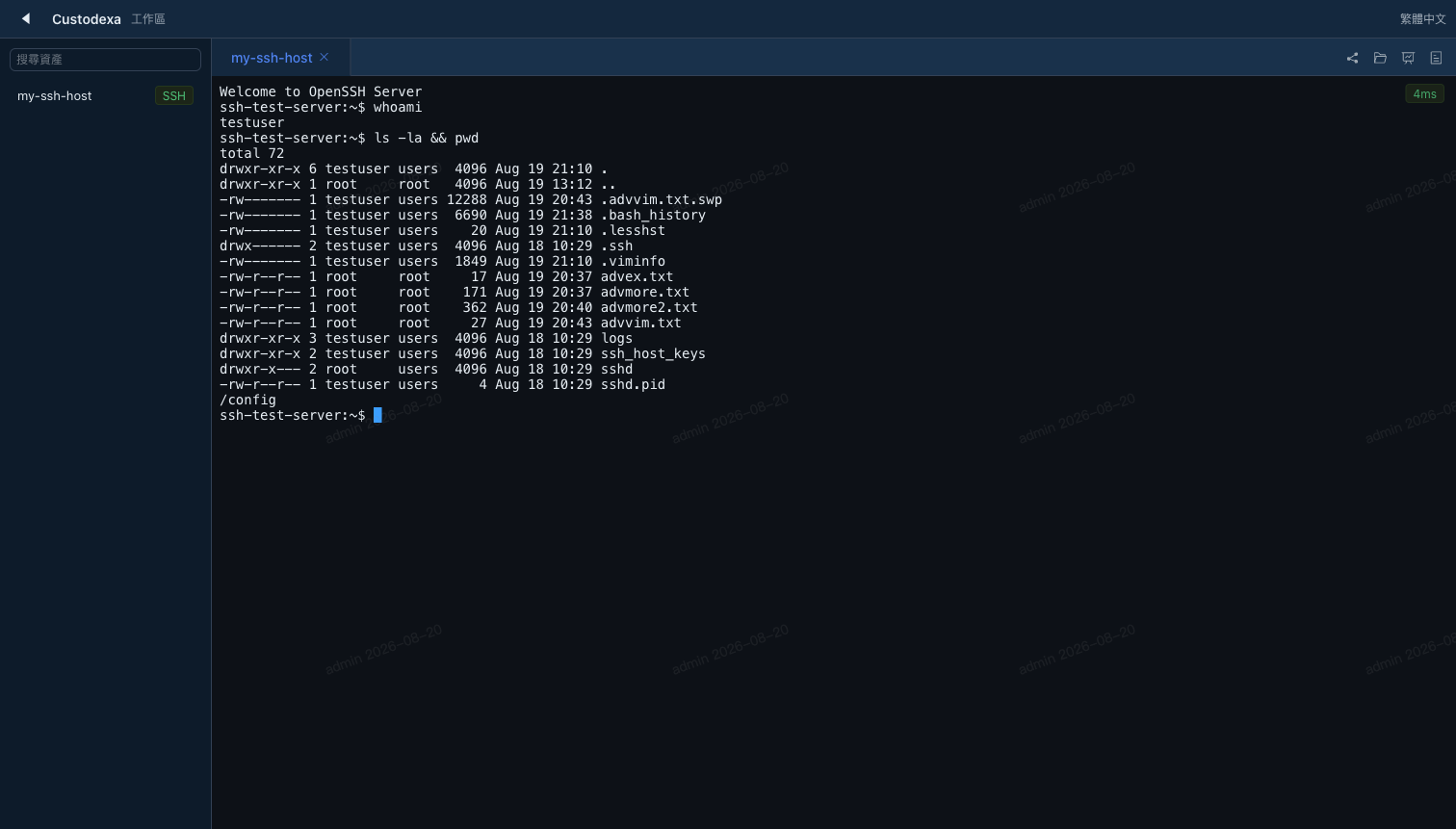 The workspace terminal — an SSH session with a persistent user watermark.
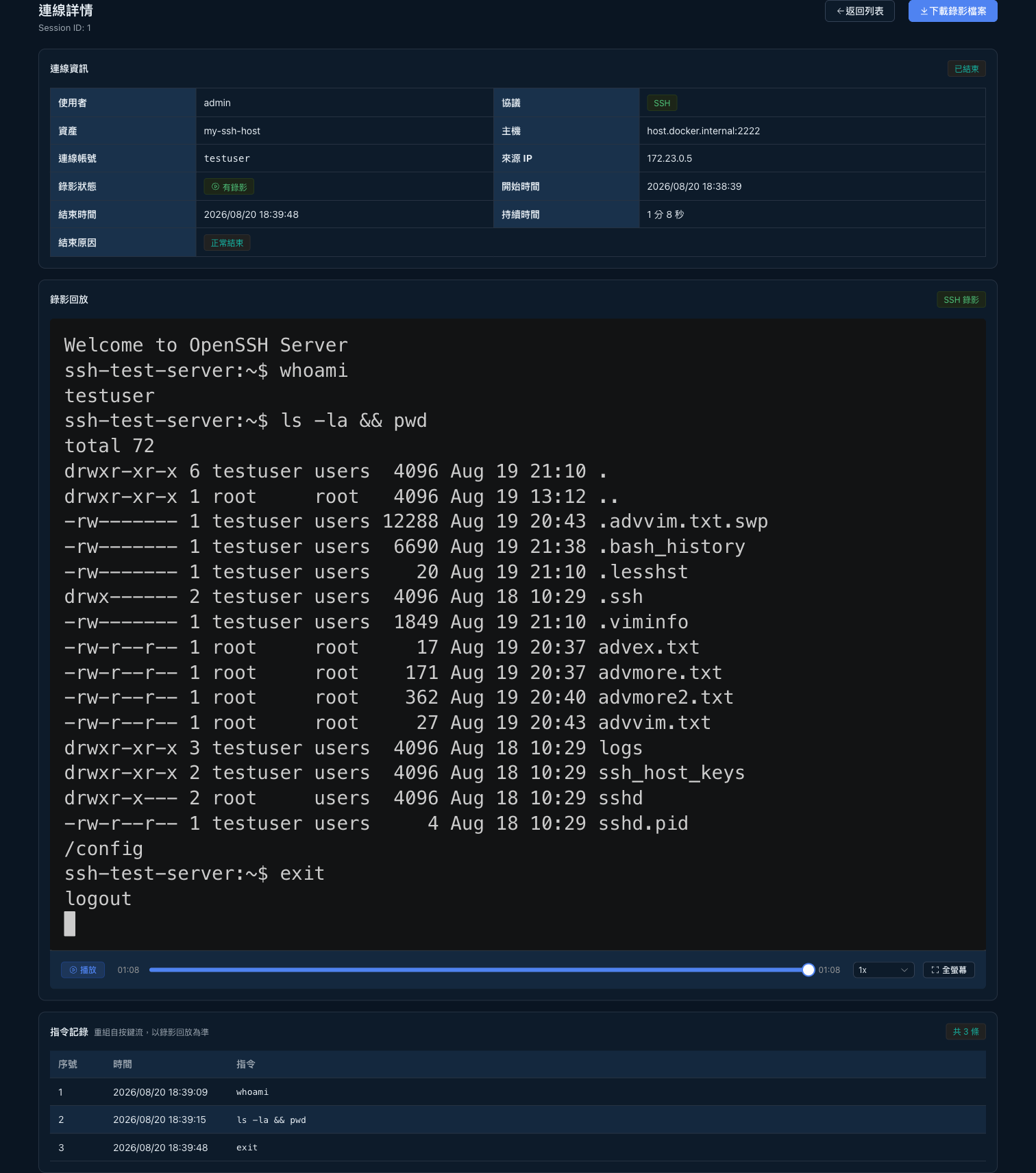 Session detail — playback, end reason, and the reconstructed command log.
Database protocol control
Section titled “Database protocol control”Web CLIs for MySQL, PostgreSQL, Redis, and MSSQL: the backend manages a local CLI subprocess, and the real credential never enters it. The text stream flows through the same command auditing, recording, monitoring, and blocking as terminals, and multi-line SQL accumulates into complete statements.
Kubernetes
Section titled “Kubernetes”Container exec bound to namespace assets, pod selected at connection time, with an immutable pod snapshot stored per session; control-plane TLS is verified by default. One-shot command mode — which would bypass blocking and auditing — is rejected outright by the backend.
Files and clipboard
Section titled “Files and clipboard”- SFTP file management: browsing, upload, and download with full operation auditing, gated by asset authorization.
- VNC file transfer: RFB has no file channel of its own, so guacd opens an SFTP sidecar to the same host, sharing the audited upload pipeline with RDP drive redirection.
- Data transfer control: global policy keys for clipboard and file transfer, with denied actions audited.
Accounts and credential rotation
Section titled “Accounts and credential rotation”- Multiple accounts per asset, envelope-encrypted credentials, account selection at connection time with a per-session snapshot.
- Scheduled rotation (SSH domain): account-level execution covering passwords and SSH keys; new secrets delivered over the SSH session rather than command-line arguments, candidates stored unverified first, automatic backoff and give-up alerts on failure.
- Windows / AD credential rotation is not yet supported — it is on the roadmap for a later release. Today, non-SSH assets in a rotation schedule are explicitly marked skipped rather than pretending to run.
Alerts and reviews
Section titled “Alerts and reviews”- Real-time blocking of dangerous commands and alert rules (including SQL and Redis rules); alerts go out via webhook (HMAC-signed JSON) or Slack, and delivery failure never affects the alert’s persistence.
- Periodic access reviews, alert triage, and daily sign-off, with immutable sign-off records.
- Regular users get a “My connections” self-service page — they see what they connected to and can terminate their own sessions, but never see commands, recordings, or other custodial content.
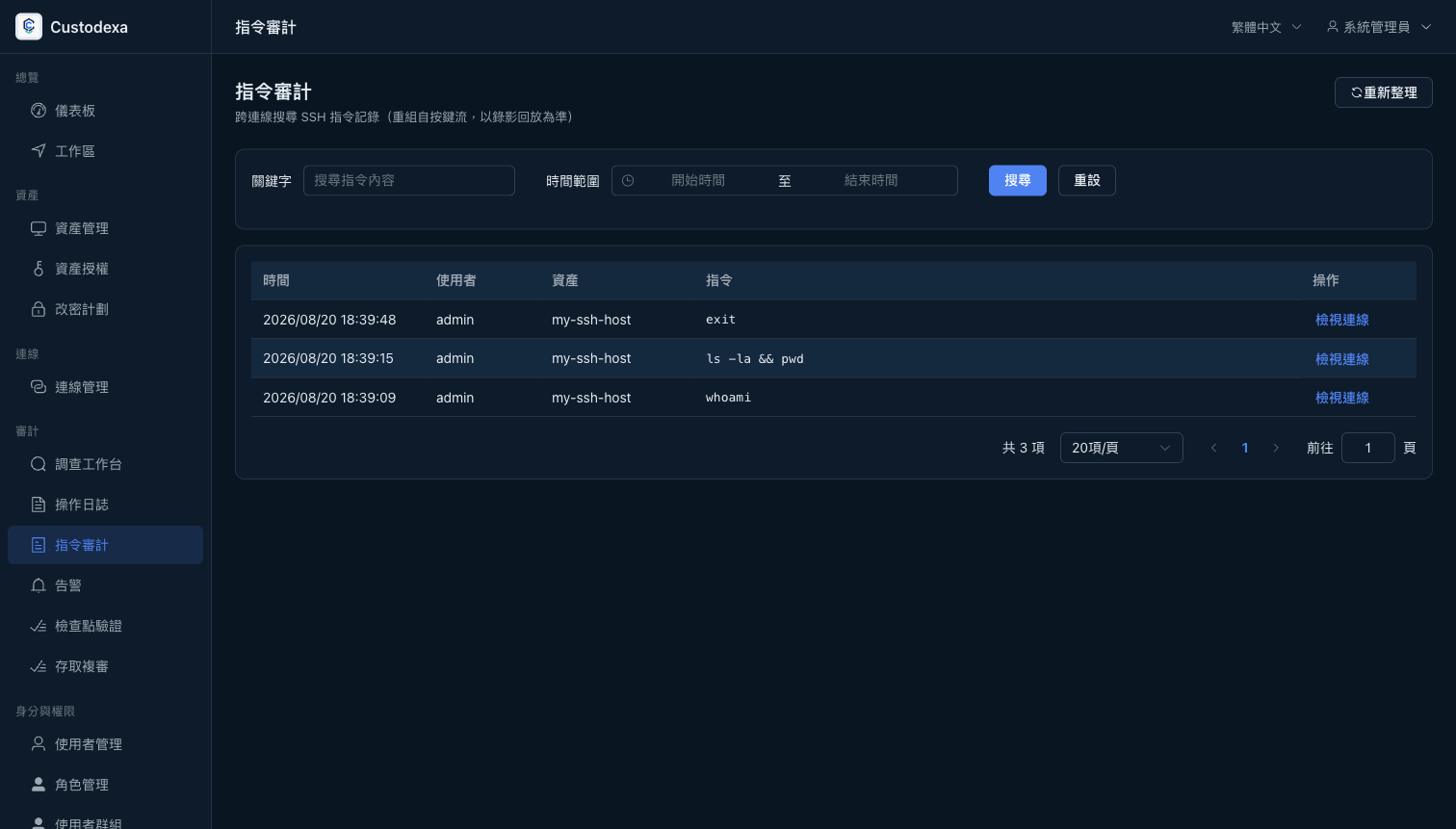 Command audit — search reconstructed commands across sessions and jump back to the original connection.
Command records are an index reconstructed from terminal output; the recording is the source of truth and settles disputes — see the honest boundaries in Concepts.
The authoritative semantics for every capability live in the openspec specifications in the main repository; this site’s copy defers to them.